

CartFlow Enhancer – Optimize Cart UX & Boost Conversions
Shopware
Enhance your Shopware 6 cart experience with flexible controls, improved behavior, and smooth animations for a more user-friendly and optimized shopping journey.

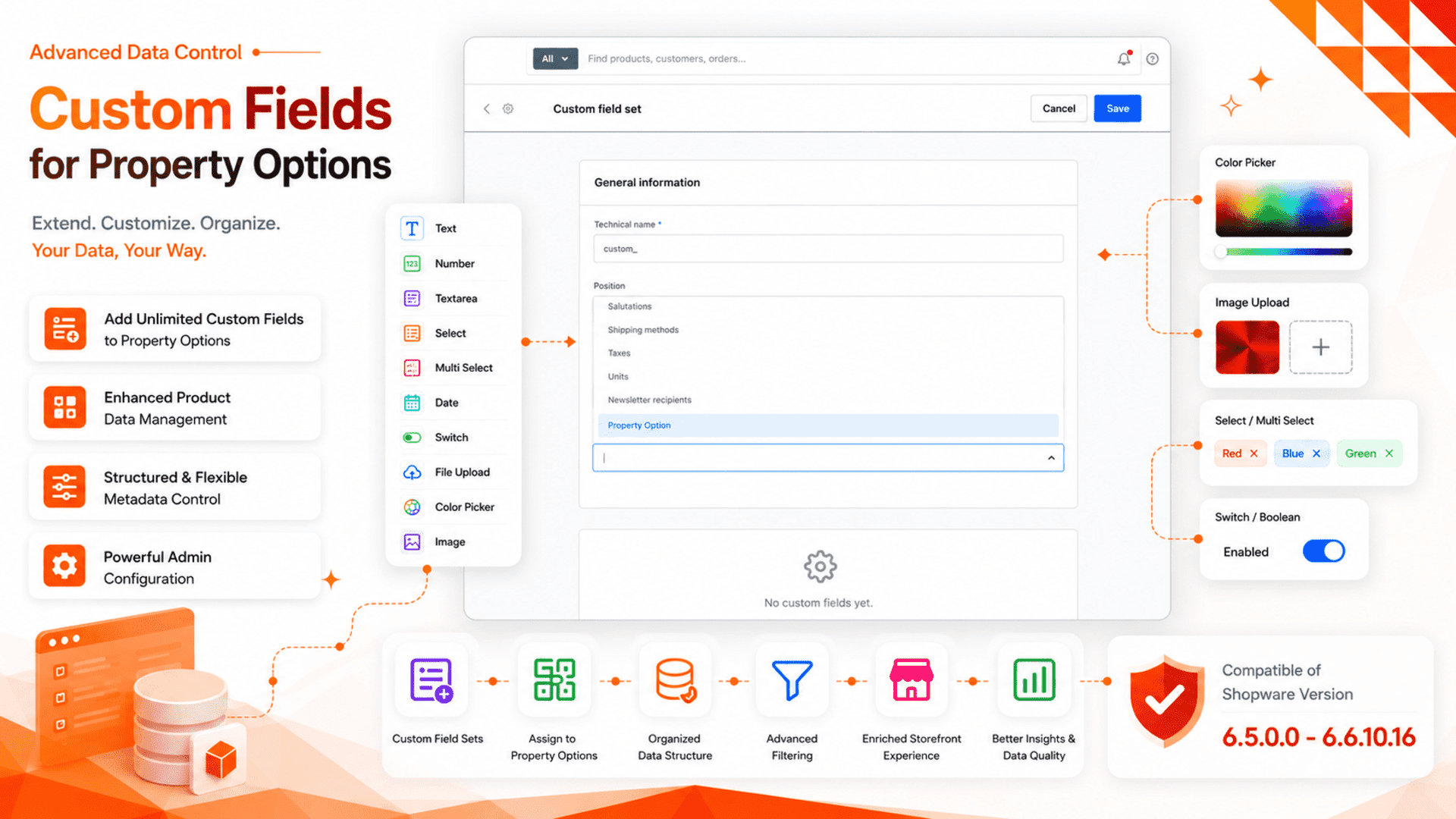
Extend Shopware’s “Assign to” dropdown to support property options — add custom fields directly to product properties. So you can user property option customfield.
With this extension, you can enrich your property options (e.g., colors, materials, sizes) by assigning custom fields set directly to them.
Normally, Shopware allows custom fields only for products, categories, customers, orders, and property groups. This plugin extends the functionality by adding Property Options to the “Assign to” dropdown.
This allows you to:
1.0.0 (6.5.0.0 – 6.6.10.25)
20 April 2026
Install and enable.
Shopware
Enhance your Shopware 6 cart experience with flexible controls, improved behavior, and smooth animations for a more user-friendly and optimized shopping journey.

Shopware
Display recent sales information on your product detail page to drive customer engagement. Show the number of products sold or, display the number…

Shopware
It revolutionises how customers interact with your Shopware store, making shopping quicker and more intuitive. Try "Quickview in Sidebar" today and transform your…

Shopware
Connect Shopware 6 with QuickBooks to synchronize orders, customers, products, vendors, sales receipts and refunds for efficient, accurate accounting.
Tell us what you need for Custom Fields for Property Options in Shopware 6 (Advanced Data Control).
Reviews
There are no reviews yet.