


Promo Bell – Offers & Discounts
Shopware
Show flash offers with an interactive notification bell. Display live deals, highlight promotions, and let customers access offers instantly in your Shopware store.
Create dynamic custom fields for product variants. Add inputs, selects, uploads and conditional logic to personalize products and capture variant-specific data.
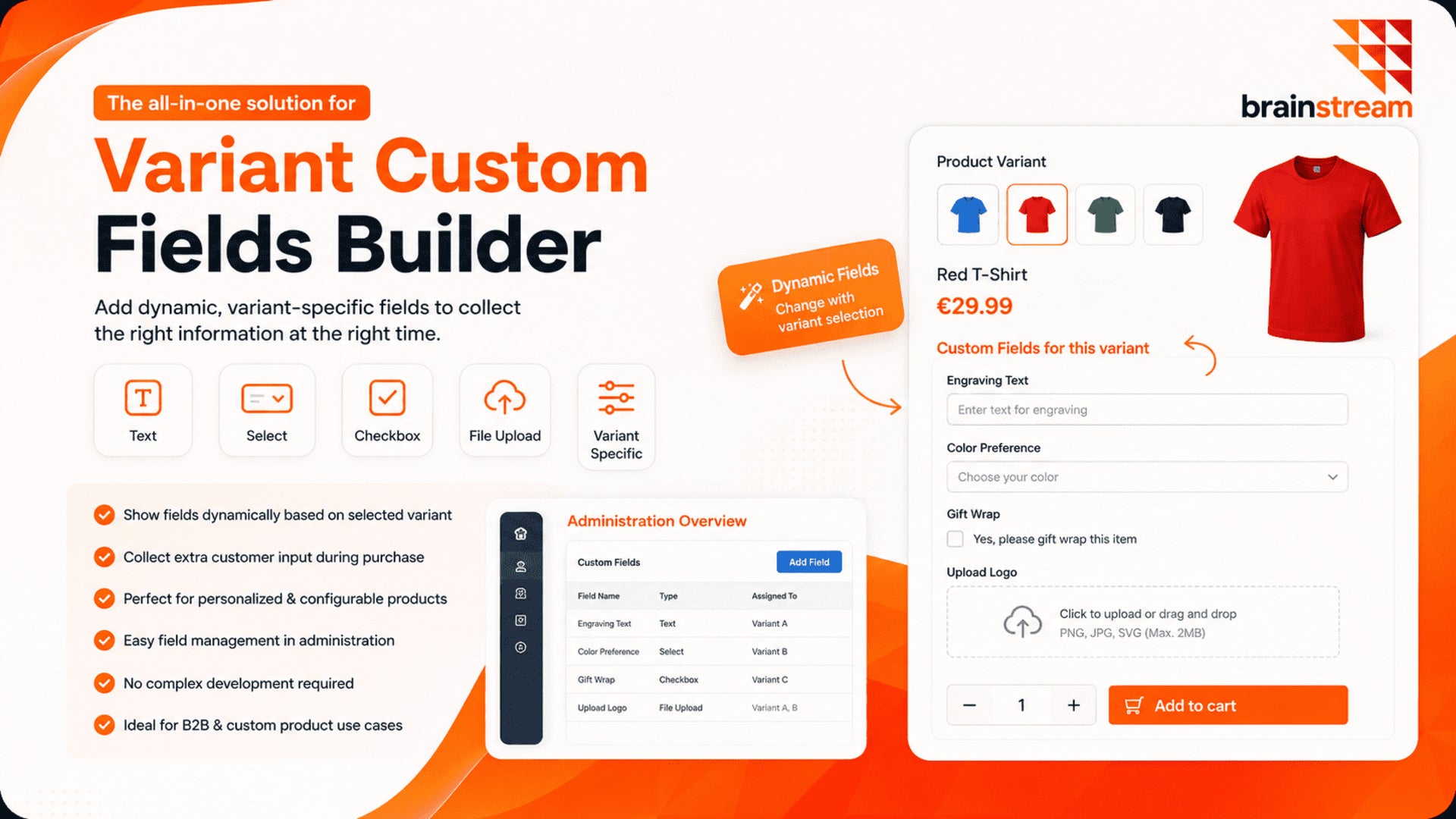
The Variant Custom Fields Builder extends Shopware by enabling dynamic, variant-specific custom fields on product detail pages.
Create flexible input fields such as text, select, checkbox, or file upload and assign them to specific variants or product options. Display fields dynamically based on the selected variant and collect additional customer input directly during the purchase process.
This plugin is ideal for personalized products, configurable items, and B2B use cases where additional data per variant is required.
Easily manage all fields in the administration with a user-friendly interface and enhance your product customization capabilities without complex development.
Shopware
Show flash offers with an interactive notification bell. Display live deals, highlight promotions, and let customers access offers instantly in your Shopware store.

Shopware
Display category images directly in your Shopware 6 storefront navigation. Create a more visual menu and help customers recognize categories more quickly.

Shopware
Trendify Shop Theme is a modern, responsive Shopware 6 theme with fast performance, SEO optimization, mobile-friendly design, and high-conversion UX for eCommerce stores.

Shopware
Effortlessly remove selected items from your cart with our Remove selected items from cart plugin for Shopware 6. Simplify cart management and enhance…
Tell us what you need for Variant Custom Fields Builder for Products.
Turn Your
Ideas Into,
Digital Growth



Future-ready AI and software solutions built
around your business goals.
Trusted by Our Clients






Reviews
There are no reviews yet.