

Variant Custom Fields Builder for Products
Shopware
Create dynamic custom fields for product variants. Add inputs, selects, uploads and conditional logic to personalize products and capture variant-specific data.
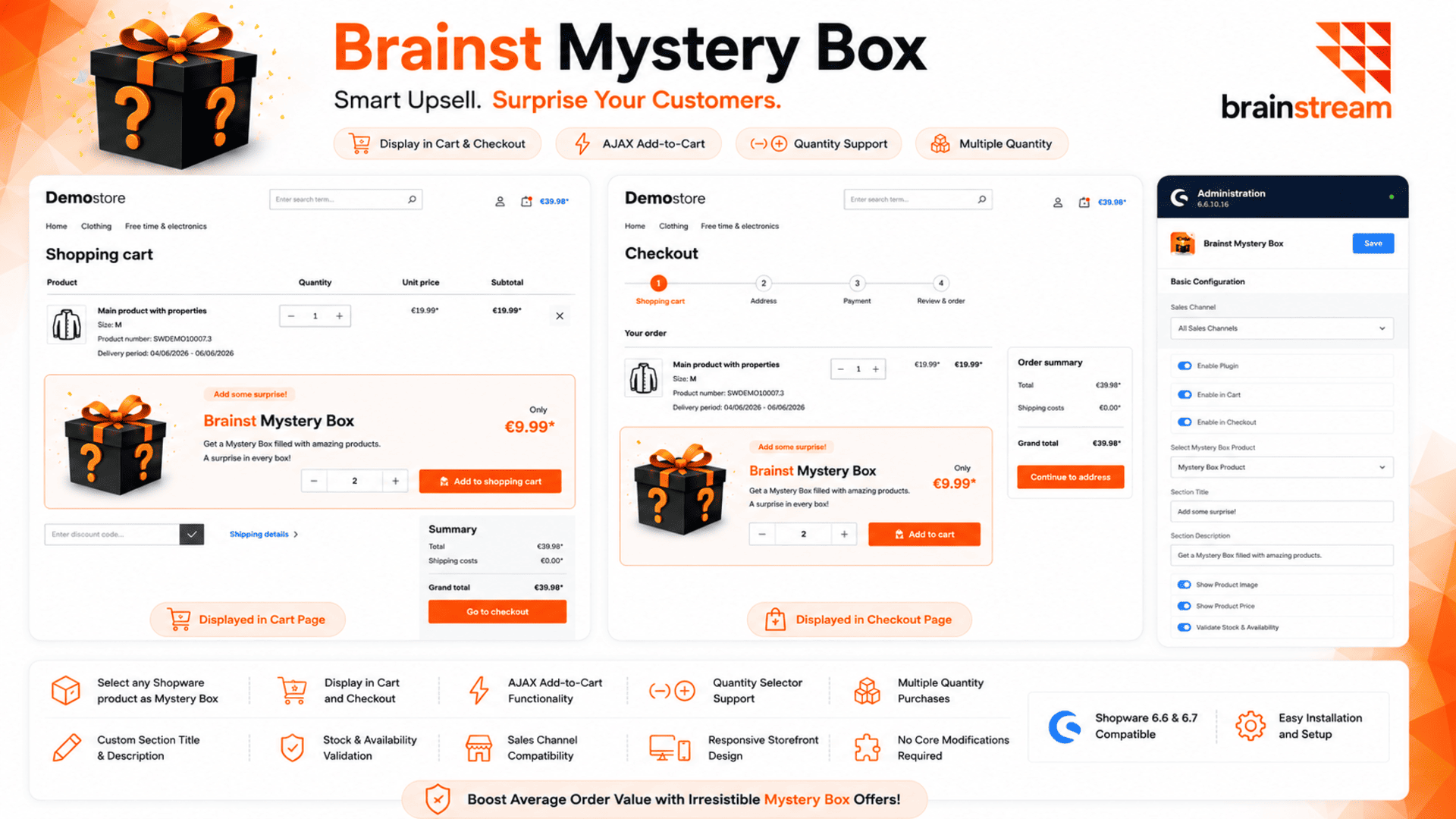
Increase your average order value with a configurable Mystery Box displayed in the cart and checkout. Customers can add one or multiple boxes with a single click.
Brainst Mystery Box adds a powerful yet unobtrusive upsell opportunity to your Shopware store. Display a configurable Mystery Box product directly in the cart and checkout pages, allowing customers to add one or more Mystery Boxes before completing their order.
The plugin is designed to increase average order value while maintaining a seamless shopping experience. Merchants can choose any existing Shopware product as the Mystery Box and control where it is displayed.
Customers can easily select a quantity and add the product to their cart without leaving the checkout flow.
Annually €1.25* /month €24.00 * €15.00* /year
Monthly €2.00* /month Cancelable monthly
Yes. Any active and purchasable Shopware product can be selected.
Yes. Customers can add multiple quantities depending on stock availability.
Yes. Both display locations can be enabled or disabled independently.
1.0.0 (6.7.0.0 – 6.7.13.1)
1 September 2026
Install and activate the plugin. Navigate to Settings → Extensions → Brainst Mystery Box. Enable the plugin. Select the product that should be used as the Mystery Box. Enable display in cart and/or checkout. Configure title, description. Save the configuration. Clear cache and refresh the storefront.
Shopware
Create dynamic custom fields for product variants. Add inputs, selects, uploads and conditional logic to personalize products and capture variant-specific data.

Shopware
Maximize your e-commerce potential with our Shopware 6 to Odoo Integration Module. Effortlessly link your Shopware 6 store with Odoo, the premier open-source…

Shopware
Connect Shopware 6 with Uniconta ERP and automate the synchronization of products, stock, customers, and orders to reduce manual work and keep business…

Shopware
Show flash offers with an interactive notification bell. Display live deals, highlight promotions, and let customers access offers instantly in your Shopware store.
Tell us what you need for Brainst Mystery Box – Cart & Checkout Upsell.
Turn Your
Ideas Into,
Digital Growth



Future-ready AI and software solutions built
around your business goals.
Trusted by Our Clients






Reviews
There are no reviews yet.